Get the App
A free platform for setters and closers to find roleplay partners, book sessions, and stay connected.
Or scroll down to see it in action first.
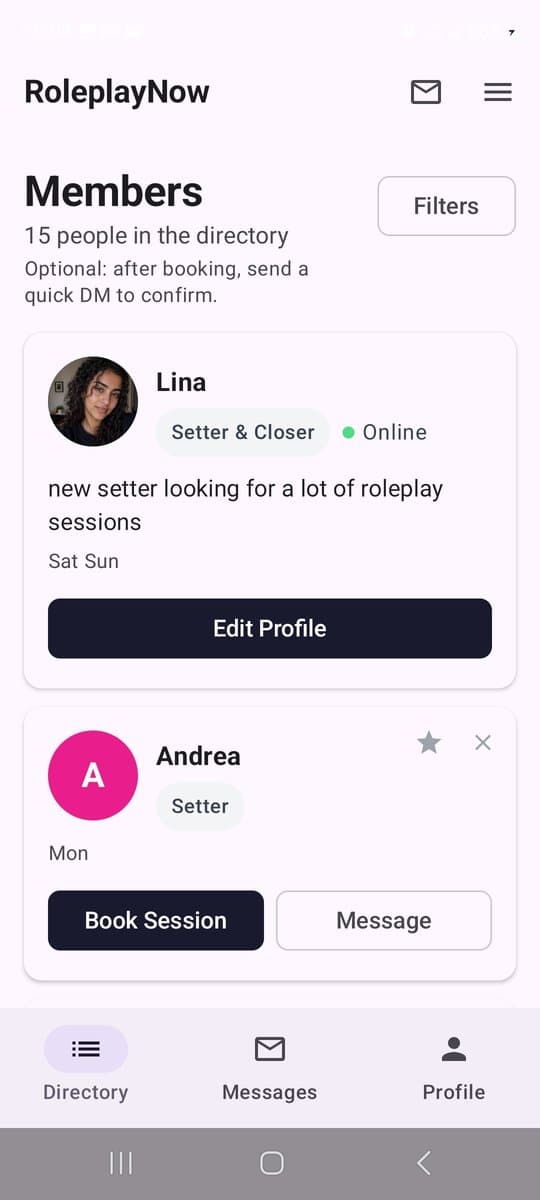
Find setters and closers who are available right now. Filter by role, day, and time zone.
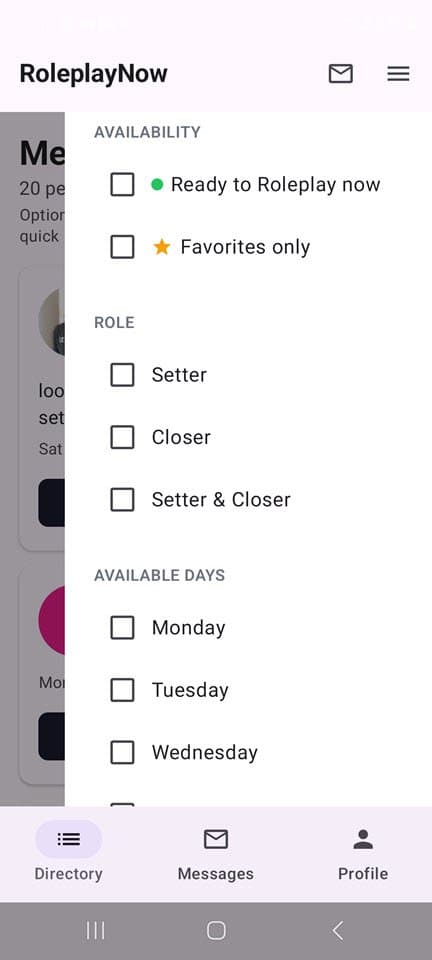
Filter by availability so you only see people who match your schedule.
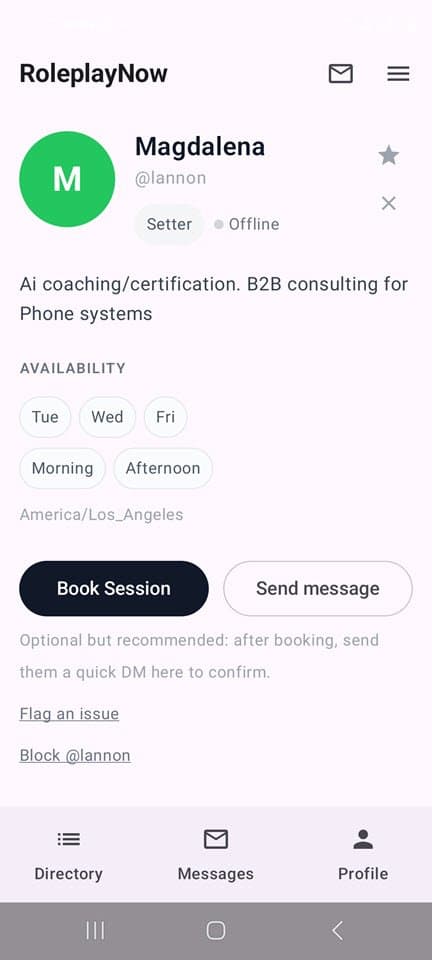
Book directly through their Calendly. No back and forth, no DMs just to find a time.
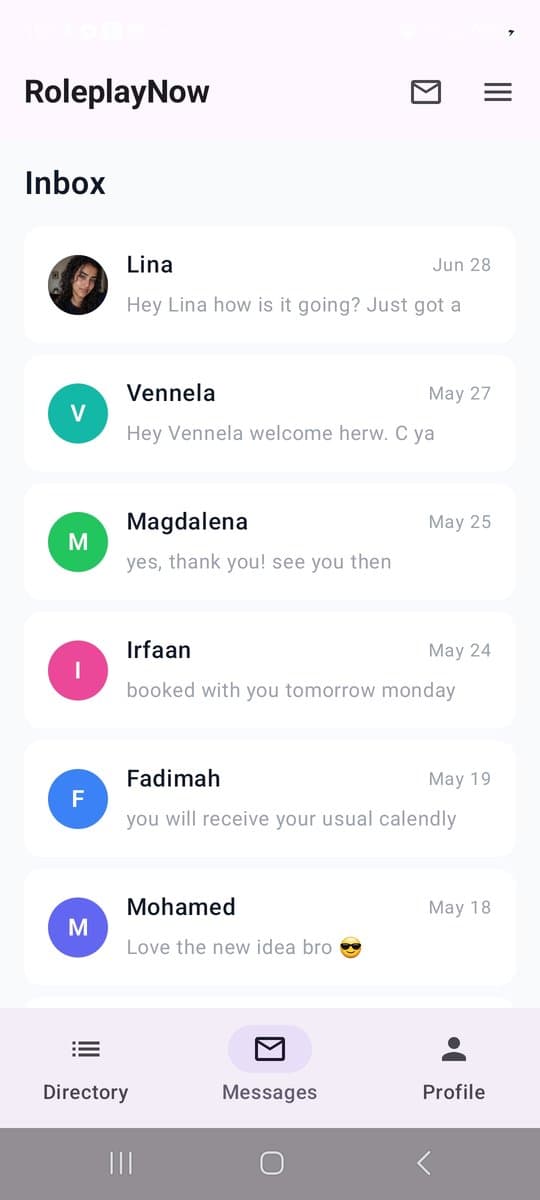
Your inbox keeps all your conversations in one place. See who messaged you at a glance.
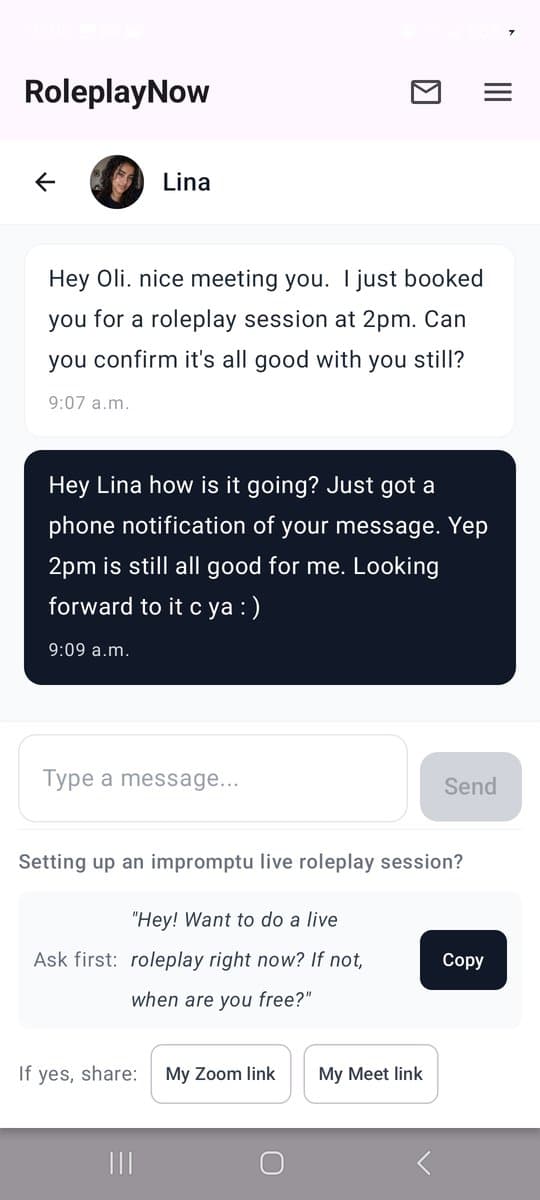
Message any member directly on the platform. Confirm your session, coordinate, stay in touch.
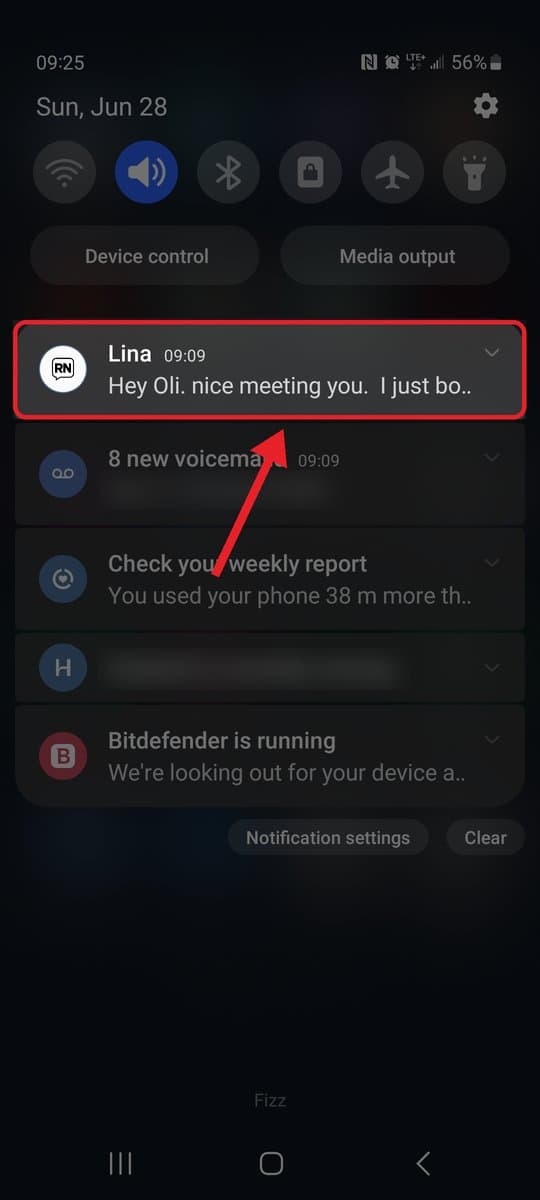
Get notified the moment someone messages you. A real app on your phone, so you never have to keep checking the site.
See the App in Action
Find a Partner and Go Live Right Now
Quickly Find Partners Who Match Your Exact Schedule
Browse and Book Anyone's Calendly in Seconds
Build Your Personal List of Go-To Partners
All Your Links - Zoom, Meet, Calendly - One Tap Away
Not Available? One Tap Pauses All Booking
How to Set Up Your Profile
Get it on your phone
iPhone
Get the full app from the App Store - the best experience, with reliable notifications the moment someone messages you.
Android
Get the full app from the Play Store - the best experience, with reliable notifications the moment someone messages you.
Prefer not to use the Play Store? You can also install it straight from your browser. Notifications are less reliable this way - on some phones, Samsung especially, they stop arriving once the browser is closed:
- Open roleplaynow.io in Chrome
- Tap the three-dot menu at the top right
- Tap Add to Home screen, then Install
- Log in and allow notifications when prompted
Free to join. On a computer, it runs right in your browser.
Click Here To Find Your Roleplay Partner Now